Most multifamily teams are not short on reports. They are short on a reliable process for getting the right reports to the right people on the right cadence without someone manually assembling them each time. The weekly performance summary that gets pulled every Monday.
The recurring reports that go to ownership, asset management, or regional teams. The executed lease review that revenue management needs after every reporting period. Each of these serves a real purpose. Each of them costs time to produce that should be going toward reviewing what they contain.
Related:
What Is Automated Reporting for Multifamily?
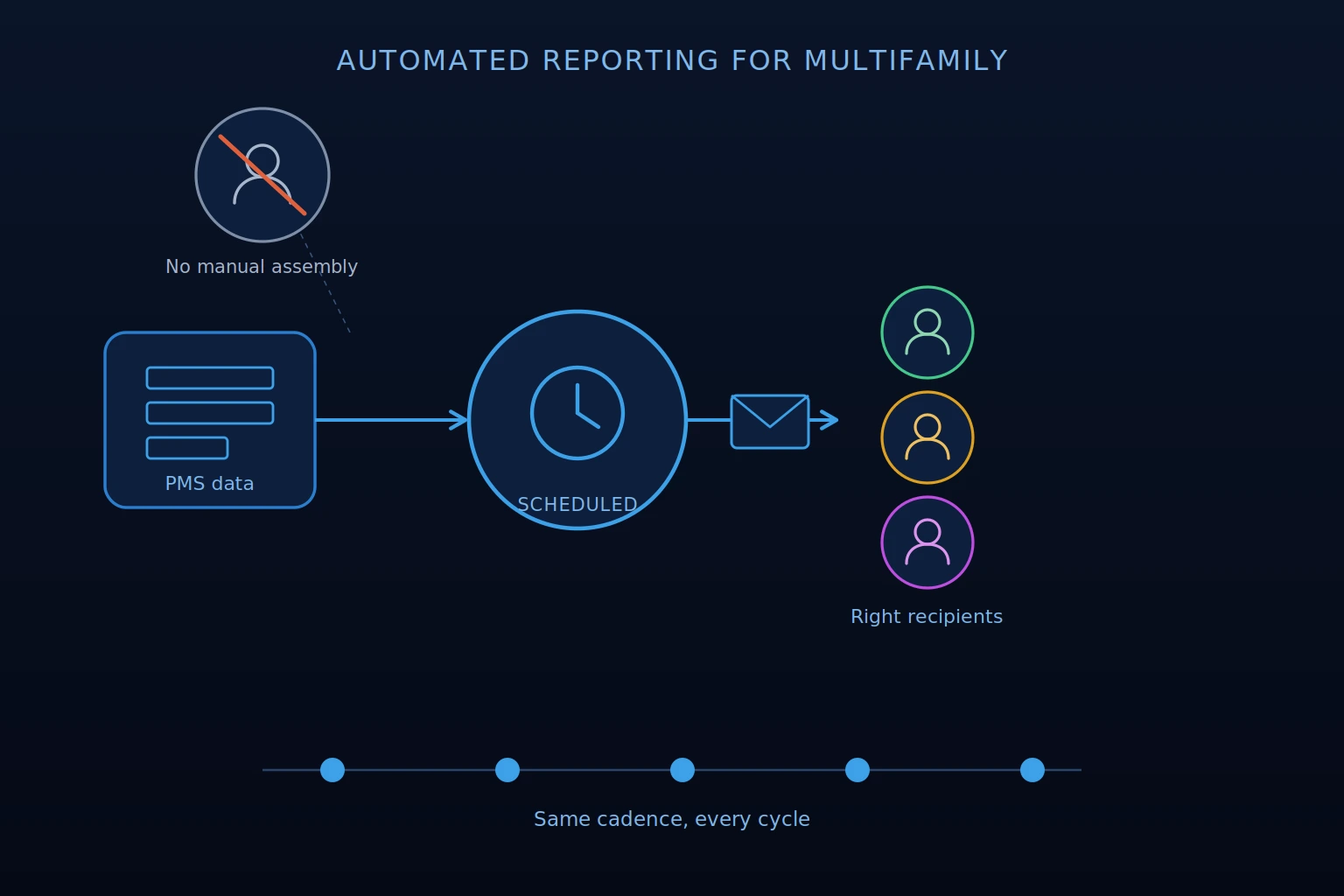
Automated reporting for multifamily is the scheduled, recurring generation and delivery of property or portfolio performance reports without manual assembly. Instead of a team member pulling data, formatting a report, and distributing it each week or month, the report is configured once and delivered automatically to the right recipients at the right time.
The value goes beyond time savings. It also includes consistency. When reports run on a schedule regardless of who is available to build them, teams receive the same information on the same cadence every cycle. Performance changes surface on schedule rather than when someone gets around to pulling the data. And the reporting process itself stops competing with the analytical work that the reports are supposed to support.
According to Multifamily Executive, operational performance is increasingly tied to resident retention, with 19% of renters citing a better property manager as a reason for moving. For multifamily teams, consistent reporting supports that operational discipline by helping teams identify issues, review performance, and respond before small problems become larger portfolio concerns.
Why Multifamily Manual Reporting Is Not Sufficient
Manual reporting works when the portfolio is small and the reports are simple. As portfolios grow and reporting needs multiply across different audiences, the process breaks down in predictable ways.
The most common failure points include:
- Rebuilding the same reports every cycle. A leasing summary that gets manually assembled every Monday, a monthly ownership report rebuilt from scratch each month, and a weekly occupancy update that requires pulling from multiple systems all represent recurring time costs that compound across the year
- Pulling data from multiple systems. When leasing data lives in the CRM, occupancy data lives in the PMS, and financial data lives in the accounting system, assembling a complete report requires reconciling multiple sources before any analysis can begin
- Inconsistent formatting across properties. When reports are built manually by different team members, formatting, metric definitions, and data presentation vary in ways that make cross-property comparisons unreliable
- Delayed visibility into performance changes. A team that receives a report two days after it should have gone out has been making decisions without current information for two days. At scale, that lag compounds
How to Implement Automated Reporting for Multifamily
Implementation does not require a complete technology overhaul. For most multifamily teams, the process is straightforward:
- Identify which reports are currently built manually on a recurring basis. Start with the reports that get built most frequently and consumed most consistently. These are the highest-value candidates for automation.
- Decide the right cadence for each report. Match the delivery frequency to how quickly the underlying data changes and how frequently the audience needs it to support decisions.
- Match reports to the right audience. A daily available units report is useful for leasing teams. A monthly target tracking report is more relevant for asset management and ownership. Sending every report to everyone adds to what people need to process without improving what they can act on.
- Standardize report formats and metric definitions across properties. Automated reports that use inconsistent definitions across assets are not directly comparable. Establishing consistent methodology before scheduling is what makes cross-property analysis reliable.
- Connect reports to current PMS and operational data. A scheduled report drawing from stale or manually uploaded data is not substantially better than a manually produced report. PMS integration that keeps the underlying data current is the prerequisite for automated reporting to deliver its intended value.
- Add context through AI Insights, pricing movement, and performance summaries. Configure reports to include the analytical layer that helps recipients understand what the data means, not only what it shows.
- Review report usefulness and refine cadence over time. A report that nobody reads on the cadence it is delivered on is adding to inbox volume without adding operational value. Reviewing which reports are being used and adjusting accordingly is part of maintaining a reporting infrastructure that stays useful rather than becoming background noise.
Which Multifamily Reports Should Be Automated?
Not every report benefits equally from automation. The best automated reporting setup is not simply scheduling every report. It is matching the right report to the right audience at the right cadence, while preserving the ability to drill into the underlying data when a number needs more context.
The strongest candidates are recurring reports with a consistent structure, a defined audience, and a predictable review cadence.
Daily
- Available Units Report: Gives leasing teams current visibility into what is available and what is coming available. Useful for daily leasing prioritization without requiring a manual pull each morning.
Weekly
- Lease Compliance Report: Surfaces data entry errors and operational training needs early in the cycle rather than discovering issues at month-end when they are harder to resolve. For regional or portfolio teams, a rollup view can help identify broader compliance patterns while still allowing teams to drill into property-level detail.
- Weekly Summary Report with AI Insights: A more comprehensive weekly view covering property insights, occupancy conditions, expiration concentration, renewal performance, leasing pipeline, 7-day and 30-day pricing movement, publicly advertised comps, specials, and market rent adjustments.
Read Also:
Why Weekly Multifamily Summary Reports Are Especially Useful
A well-structured weekly summary includes property insights explaining what changed and why it may matter.
For example, occupancy projections showing where the asset appears to be heading under current leasing and renewal conditions, expiration concentration by layout and time window, renewal performance relative to targets, leasing pipeline and funnel activity, pricing movement over the last 7 and 30 days, and publicly advertised comps, specials, and market rent adjustments as external context.
When a weekly summary surfaces multiple signals at once, such as projected occupancy movement, expiration concentration, renewal performance, and leasing funnel friction, the revenue manager reviewing it has the context to prioritize attention before those same conditions become a month-end surprise.
Monthly
- Executed Leases Report: Reviews leasing outcomes for the period, with the ability to evaluate performance by property, layout, or other relevant filters. Useful for understanding what is driving leasing and rent roll performance.
- Target Tracking Report: Evaluates performance against configured targets or budgeted goals, including rent, occupancy, and renewal conversion. Useful for asset management and ownership conversations about where the asset stands relative to plan.
- Lease Trade-Out Report: Depending on portfolio review cadence, monthly or quarterly. Tracks trade-out performance over time, with filtering that helps teams evaluate comparable lease activity more accurately. Regional or portfolio rollups can also help leadership review performance trends before drilling into the assets or segments that need more attention.
On Demand Rather Than Scheduled
- Renewal Offer Analysis: More useful as an on-demand report when renewal decisions are being evaluated than as a recurring scheduled delivery. The timing of renewal analysis is tied to specific expiration windows rather than a fixed calendar cadence.
Automated reports are only one part of the visibility layer. Dashboards, AI Property Insights, alert widgets, renewal status views, leasing velocity metrics, and online reputation insights can help teams monitor performance between scheduled report deliveries.
The scheduled report creates the operating rhythm; the dashboard gives teams a place to investigate what is changing and why.
Related:
How Scheduled Automated Reporting Improves Multifamily Operations
Automated reporting creates a consistent operating rhythm that manual reporting cannot reliably sustain. When the same reports go to the same people on the same schedule every cycle, the team stops waiting for information and starts working from it.
For leasing teams, a daily available units report means every morning starts with a current picture of what needs to be leased and what is coming available, without requiring someone to pull it.
For revenue managers, a weekly summary with AI Insights means the analytical work of identifying what changed is partially supported before the review begins, and pricing movement, leasing activity, and occupancy conditions are visible on a consistent cadence.
For asset managers, monthly target tracking and executed lease reports arrive on schedule regardless of who assembled them last cycle, with consistent formatting that makes cross-property comparison meaningful.
For third-party managers, automated reporting means ownership groups receive consistent updates without requiring the management team to manually produce each delivery.
How Rentana Supports Scheduled Multifamily Reporting
Rentana's scheduled reporting feature allows available reports to be configured for automatic delivery on a recurring cadence, eliminating the manual steps of exporting and distributing reports on a fixed schedule.
From any report in Rentana, teams can configure reports for recurring delivery by selecting the appropriate recipients, cadence, timing, and delivery format. Because reports remain connected to the underlying Rentana data, teams can use scheduled delivery for consistent visibility and then return to the platform when they need to filter, drill down, or investigate what is driving performance.
The weekly summary report is the most comprehensive scheduled option, delivering property insights, occupancy projections, expiration concentration, renewal performance, leasing pipeline, 7-day and 30-day pricing movement, and publicly advertised comp and market rent context in a single delivery.
Reports available for scheduled delivery in Rentana include the Available Units Report, Lease Compliance Report, Summary Report with AI Insights, Executed Leases Report, Target Tracking Report, and Lease Trade-Out Report, each configurable for the cadence and audience appropriate to its content.
Don’t Miss:
- Why Invest in Multifamily?
- Multifamily Proptech: 7 Tools for the Right Stack
Conclusion on Automated Reporting in Multifamily
Automated reporting in multifamily shifts the reporting process from a recurring manual task to a consistent operational rhythm. The same reports reach the same people on the same schedule every cycle, without requiring someone to build them each time.
The operational value is not only in the time saved on report assembly. It is in the consistency of visibility that follows, the earlier surfacing of performance changes, and the analytical capacity freed up to focus on what the reports are showing rather than on producing them.
Use Rentana to schedule automated multifamily reports, including weekly summaries with AI Insights, 7-day and 30-day pricing movement, available units, lease compliance, executed leases, target tracking, and lease trade-out reporting, with interactive reporting views that help teams investigate performance when more context is needed.