Most multifamily operators know which units have balconies, premium views, renovations, upgraded finishes, or other high-value features. What is harder to know is whether those features are configured correctly in the PMS, priced consistently, and actually supporting the property’s revenue goals.
Amenity insights are only as reliable as the unit data behind them. A days-on-market comparison between renovated and unrenovated units is useful only if every unit’s renovation status is tagged accurately. The same is true for floor level, view or exposure, balcony or patio, finish package, and other unit-level attributes that may influence demand.
This checklist helps operators audit amenity data before relying on it, review premiums against actual leasing behavior, and identify where configuration gaps, pricing misalignment, or double-counting between base rent and amenity premiums may be limiting the team’s ability to evaluate amenity value accurately.
Related:
- Unit-Level Pricing Strategy in Multifamily
- Apartment Rent Pricing Strategy: 7 Factors to Evaluate
What Is an Amenity Value Audit?
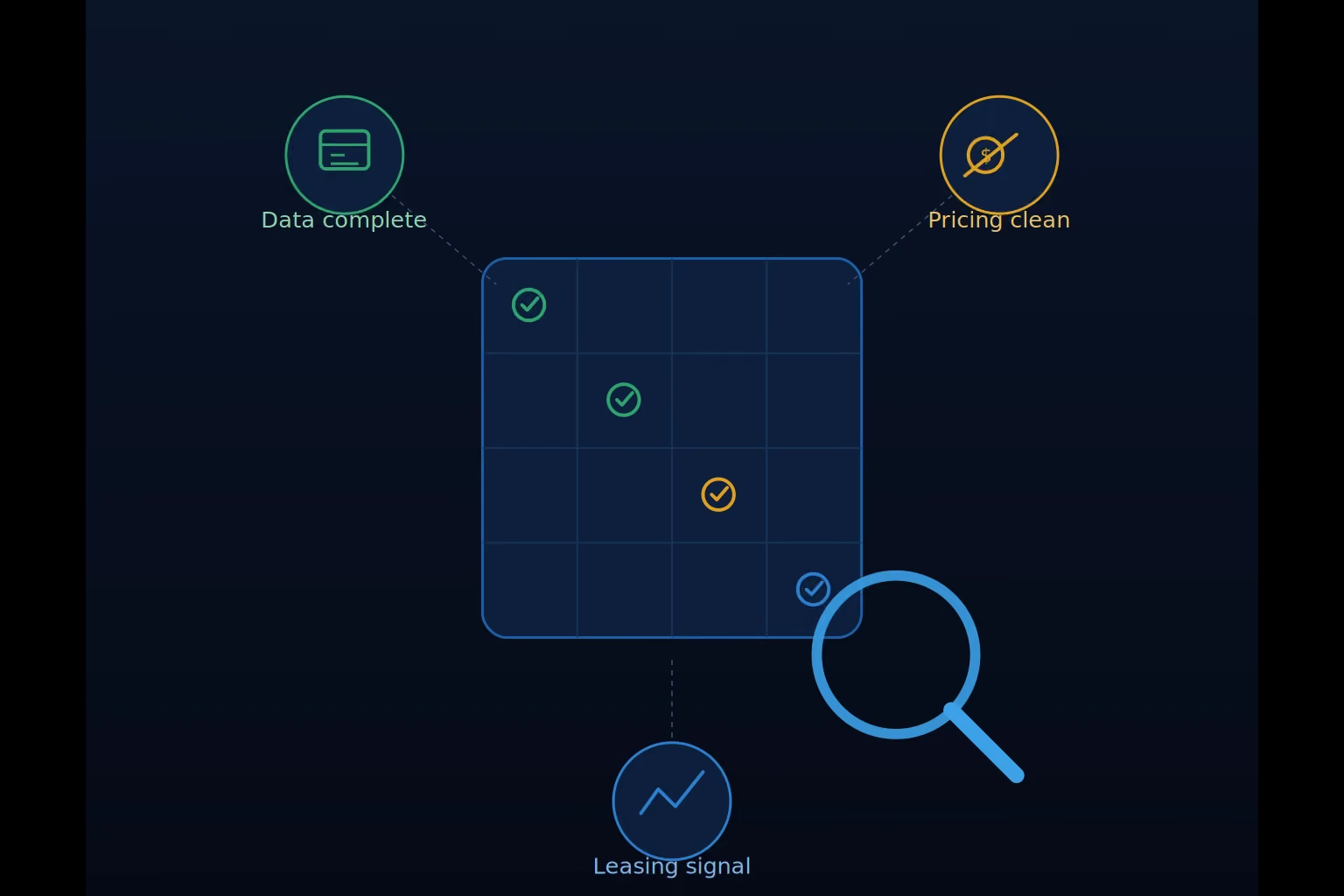
- Is the data complete?
Are the right attributes assigned to the right units in the PMS? - Is the pricing structure clean?
Are amenity premiums separate from base rent differences, or is the same value driver being counted twice? - Is the premium supported by leasing behavior?
Are units with the amenity leasing faster, slower, or differently than comparable units without it?
An amenity value audit is a data quality exercise first and a pricing exercise second. Before teams evaluate whether a floor premium is working or whether a renovation tier is driving faster absorption, they need to confirm that the underlying unit attributes are configured correctly.
Skipping that step can lead teams to draw conclusions from data that does not accurately reflect the property.
Why Amenity Audits Matter Before Reviewing Performance
The instinct when evaluating amenity performance is to go straight to the results: which amenities are leasing faster, which are sitting longer, and where premiums may be too high or too low.
Those are the right questions, but the answers are only useful if the underlying configuration is complete and consistent. If floor levels, views, renovations, balconies, or finish packages are missing or inconsistently tagged, the analysis can still be run, but it may produce misleading insights.
That matters because amenity pricing affects more than the initial lease. Overpriced features can contribute to longer days on market, increased concession use, and renewal increases that feel misaligned when the concession expires. Undervalued features can create missed premium opportunities. In both cases, the result is a pricing structure that may work on paper but create avoidable friction in leasing and renewal performance.
Read Also:
- The Best Multifamily Pricing Tool for Investors
- Multifamily Rent Pricing Strategy: Complete Guide for Investors
1. Incomplete Configuration Limits the Analysis
A property cannot accurately evaluate floor-level performance if some units have floor tags and others do not. The same applies to view, exposure, renovation status, balcony or patio, finish level, and other meaningful unit attributes.
Missing or inconsistent tags create blind spots. They make it harder to distinguish a real performance signal from a configuration issue.
For example, imagine a property where only upper floors are tagged with a “floor premium” while the ground floor is left untagged. The data shows 1st floor units with no amenity tag, 2nd floor units carrying a $10 premium and averaging 21 days on market, and 3rd floor units carrying a $25 premium and averaging 14 days on market. At first glance, this suggests a clear hierarchy: the higher the floor, the stronger the demand.
But in reality, the ground floor units are the most desirable because they include direct courtyard access and larger private patios, features that are not captured anywhere in the current tagging structure. Because those attributes are missing, the analysis incorrectly attributes demand to floor level rather than to the unmeasured outdoor space advantage.
2. Amenity Premiums Should Not Duplicate Base Rent Differences
Amenity premiums should not be used to price differences that are already captured through base rent or the custom pricing group structure.
Base rent should reflect the core, structural differences between unit types, such as unit type, floorplan, or established pricing tiers. Amenity premiums should be reserved for secondary, unit-level attributes that vary within those groups, including floor level, view, renovation status, balcony or patio access, finish quality, and similar features.
When the same value driver (such as an open kitchen layout or a corner unit designation) is represented in both base rent and an amenity premium, the result is double-counting. This can push effective pricing above what leasing behavior can support, often showing up as slower absorption or inconsistent demand patterns without a clear operational explanation.
This is also where configuration gaps become especially important. If certain attributes are inconsistently tagged, or not tagged at all, the pricing model may appear to validate a hierarchy that is actually driven by missing data rather than true resident preference.
3. Amenity Misalignment Creates a Leasing and Renewal Cycle
The reason amenity audits matter is not just cleaner reporting. It is better performance across the full leasing and renewal cycle.
When amenity premiums are aligned with resident demand, comparable units should lease at a more consistent pace. That does not mean every unit leases in the same number of days, but it does mean that one feature should not repeatedly create avoidable friction because it is priced above what residents are demonstrating they will pay.
When a unit feature is overvalued, the impact often shows up first as longer days on market. To get the unit leased, the property may rely on a concession. That concession can solve the immediate leasing problem, but it may create a renewal problem later. When the concession falls off at renewal, the resident may receive an increase that feels misaligned with the actual value of the home. That can increase turnover risk, return the unit to market, extend days on market again, and restart the same cycle.
The reverse can also happen. If a feature is undervalued, the property may be missing premium opportunity on units residents are already demonstrating they want.
An amenity audit helps break that cycle by confirming that unit features are configured correctly, priced once, and evaluated against actual leasing behavior. The goal is not simply to assign higher or lower premiums. The goal is to support more balanced leasing velocity, reduce avoidable vacancy loss, limit unnecessary concession use, and improve renewal performance by keeping unit value aligned with what residents are actually willing to pay.
4. Amenity Value Should Be Tied to Leasing Behavior
The purpose of an amenity audit is to move from assumption to evidence.
In many properties, initial pricing strategies are built on developer expectations and early market assumptions. A city view may be expected to command a premium. A high-floor unit may be assumed to lease or renew more favorably. A renovated finish package may be priced with the belief that it will consistently justify higher rent. These assumptions are reasonable starting points, but they are not guaranteed to reflect actual demand across leasing, renewals, or ongoing rent performance.
Over time, if these assumptions are not validated and adjusted, the property can experience unintended performance impacts, including increased vacancy loss and missed premium opportunities. In many cases, the demographics that ultimately lease at the property assign different value to certain features than originally anticipated, which shifts what actually drives willingness to pay.
The data does not lie, as long as it is correctly structured and consistently maintained. That is why these assumptions must be tested against real leasing behavior, including days on market, days vacant, achieved rent, and absorption patterns.
Before the team can trust that analysis, the configuration behind it needs to be verified.
Recommended:
- Multifamily Performance Reporting: 9 Key Metrics That Matter
- Multifamily Asset Performance: 7 Key Strategies
The Amenity Value Audit Checklist
Work through each section in order. Configuration accuracy in the earlier sections determines the reliability of the performance analysis in the later ones.
1. Confirm Amenity Data Is Complete
The first step is to verify that every unit has the relevant attributes configured before relying on amenity insights for pricing, leasing, or renewal decisions.
Check whether each unit has complete and consistent tags for the features that may influence demand, including:
- Floor level
- View or exposure (including positive premiums and negative premiums for obstructed views)
- Location on property (especially relevant for garden-style communities)
- Renovation status, if applicable
- Balcony, patio, or outdoor space
- Appliance package or finish level
- Kitchen style, if relevant
- Other meaningful unit-level features that vary within the same bedroom type or unit type group
Confirm that tags are applied consistently across buildings, floors, stacks, phases, and renovation timelines. A feature should not be tagged one way in one building and differently in another unless there is a clear operational reason for the distinction.
What to look for: Missing or inconsistent tags create blind spots in the analysis. If a unit does not have a view tag, renovation tag, or floor-level assignment, the system cannot evaluate that feature accurately. Incomplete configuration can make the analysis look more reliable than it actually is.
2. Separate Base Rent Differences From Amenity Premiums
Confirm that each value driver is priced in the right place. Base rent or custom unit group configuration should account for core differences such as bedroom count, floorplan, square footage, layout, or other defining characteristics. Amenity premiums should be reserved for specific features that vary within or across comparable units.
Check for:
- Structural differences handled in base rent or custom unit group pricing, not amenity tags
- Features universal to a unit type reflected in the base rent for that group
- Amenity premiums used only for features that vary within or across comparable units
- Any feature represented in both base rent and an amenity premium
- Attributes that may require a custom unit group instead of a separate amenity premium
- $0 premiums used intentionally for visibility, marketing, or testing
Examples to review:
- If all units in a floorplan share the same open kitchen layout, that difference may belong in the base rent or custom unit group structure.
- If only some units within the same floorplan have an open kitchen, it may be appropriate to evaluate that as an amenity.
- If a corner layout is already part of a distinct unit type or pricing group, it should not also carry a separate corner-unit amenity premium.
- If a corner tag applies across multiple unit types, be careful that a premium change is not accidentally correcting a unit-type difference that belongs in the base rent.
- If a feature’s value is unclear, apply a $0 amenity tag and monitor performance before assigning a premium.
What to look for: Double-counting happens when the same value driver is priced in both base rent and an amenity premium. Each value driver should be priced once, in the right place.
3. Review Amenity Premiums Against Leasing Performance
Once the data is complete and the pricing structure is clean, review whether each amenity premium is supported by actual leasing behavior.
Check for:
- Units with the amenity leasing faster or slower than comparable units without it
- Differences in days on market and days vacant by amenity
- Amenities where units are absorbing quickly, which may suggest the premium is underpriced
- Amenities where units are consistently sitting longer, which may suggest the premium is creating friction
- Amenities tagged at $0 where performance data suggests a premium may be warranted
- Premiums that have not been reviewed since initial setup or onboarding
Review these signals within the relevant bedroom type or custom unit group whenever possible. Property-level averages can hide whether an amenity is performing differently for one group of units than another.
What to look for: Amenity value should be validated by leasing behavior, not assumptions. A premium may be right, too high, too low, or only relevant for certain unit groups. The audit should identify where the current premium aligns with performance and where it needs closer review.
Read Also:
- Multifamily Proptech: 7 Tools for the Right Stack
- What is a Good Cap Rate for a Multifamily Property
4. Review Amenity Performance in Rentana
Once amenities are configured, use Rentana to review how each amenity is performing across the property.
Rentana supports amenity review in two formats:
- List View: Organizes performance by individual amenity. For each amenity, teams can review the details, see which units have the amenity assigned, and compare performance against units without the amenity.
- Table View: Shows amenities side by side so teams can compare performance across multiple features, including alert status, average value, unit count, available units, vacant units, recent days on market, recent days vacant, average market rent, value as a percentage of market rent, and average square feet.
Check for:
- Amenity assignments that look incorrect or inconsistent
- Amenities with unusually high or low days on market
- Amenities with unusually high or low days vacant
- Premiums that appear misaligned with recent leasing performance
- Features that are visible on availability and should be audited as part of regular team review
- Amenities that may need deeper review in the Metrics Browser
Rentana’s high and low days-on-market alerts are based on a statistical comparison of units with and without the amenity, not just simple averages. This matters because averages can be skewed by a small number of outlier units, such as units that sat vacant for reasons unrelated to the amenity.
The Metrics Browser can support deeper analysis when a team wants to investigate amenity performance alongside other property metrics, such as leasing velocity, availability, vacancy, or market rent trends.
What to look for: Use List View to audit individual amenity setup, Table View to compare performance across amenities, and the Metrics Browser when a signal needs deeper investigation. Alerts should be treated as prompts for review, not automatic instructions to change pricing.
5. Document Findings and Next Steps
The final step is to document what the audit revealed and what action, if any, should happen next.
For each amenity or feature category, classify the finding into one of the following outcomes:
- Configuration is complete and the premium is supported: No immediate change is needed. Continue monitoring performance as part of the regular review cadence.
- Configuration is complete, but the premium may be too high: Units with the amenity are consistently sitting longer than comparable units without it. Review whether the premium is creating leasing friction.
- Configuration is complete, but the premium may be too low: Units with the amenity are absorbing quickly or outperforming comparable units. Review whether the premium is capturing the demonstrated demand.
- Configuration is incomplete or inconsistent: Fix the data before drawing conclusions from the performance analysis.
- The feature may belong in base rent or a custom unit group: Review whether the value driver is being priced in the right place.
- The feature should be tracked before being priced: Apply a $0 amenity tag to monitor performance before assigning a premium.
Document the recommended next step, the owner, and the timing for follow-up. If the team changes a premium or corrects a configuration issue, allow enough leasing activity to occur before evaluating the result.
What to look for: The audit should produce a clear action list, not just observations. Each finding should lead to one of three outcomes: keep monitoring, adjust the premium, or fix the configuration before making a pricing decision.
How to Act on What the Audit Reveals
An amenity audit should lead to a clear next step for each feature reviewed.
If the configuration is incomplete, fix the data before making pricing decisions. Missing or inconsistent tags should be corrected first, then monitored through enough leasing activity to evaluate performance under the corrected setup.
If the configuration is complete but performance looks misaligned, review whether the premium should be adjusted. Amenities that consistently sit longer than comparable units may be overpriced. Amenities that absorb quickly across multiple leasing cycles may be underpriced. In either case, the response should be specific to the amenity or unit group showing the signal, not a broad pricing move across the property.
If the audit shows that the feature is really a defining unit difference, review whether it belongs in the base rent or custom unit group structure instead of as a separate amenity premium.
When the value of a feature is unclear, a $0 amenity tag can be used to track performance before assigning a premium. This gives the team visibility without assuming value before the data supports it.
Don’t Miss:
- The Best AI Property Insights Platforms
- How To Calculate The Value of A Multifamily Property
How Rentana Supports Ongoing Amenity Review
An amenity audit is most valuable when it becomes part of the regular operating rhythm, not a one-time setup exercise.
Rentana helps teams review amenity performance by connecting amenity configuration to current leasing behavior. Teams can use List View to audit individual amenity setup, Table View to compare amenity performance side by side, and the Metrics Browser to investigate performance patterns alongside broader property metrics.
Amenities are also visible on availability, which helps teams review unit-level features as part of the regular leasing workflow rather than only in a dedicated analytics view.
The goal is to make amenity review practical and repeatable. When configuration, availability, leasing activity, and performance signals are reviewed together, teams can identify premium misalignment earlier and make more informed decisions about whether to monitor, adjust, or reconfigure a specific feature.
Conclusion on Amenities Value Audit Checklist
Amenity insights are only as useful as the data behind them. A well-configured amenity setup gives operators a clearer view of where premiums are working, where they may be creating friction, and where residents are demonstrating value that the current pricing structure is not capturing.
The purpose of an amenity value audit is not simply to clean up tags or adjust premiums. It is to keep unit value aligned with actual leasing behavior so comparable units lease at a more consistent pace, vacancy loss is reduced, concessions are used more intentionally, and renewal offers better reflect the value residents experienced during their lease term.
This checklist is the foundation for an ongoing review discipline. Get the configuration right, review performance regularly, and let the leasing data show where amenity value is supported, overstated, understated, or still unproven.