The best tools for multifamily property managers help teams lease apartments, support residents, coordinate maintenance, and understand property performance without adding unnecessary administrative work. For lean teams managing several properties, the value comes from how well those tools fit daily responsibilities and share the information people need.
The National Apartment Association highlights the challenges that multiple platforms can create for operators of all sizes, including getting reliable data to the right people and connecting reporting with property goals. Adding technology is useful when it closes a specific gap and makes the team’s work easier to carry out.
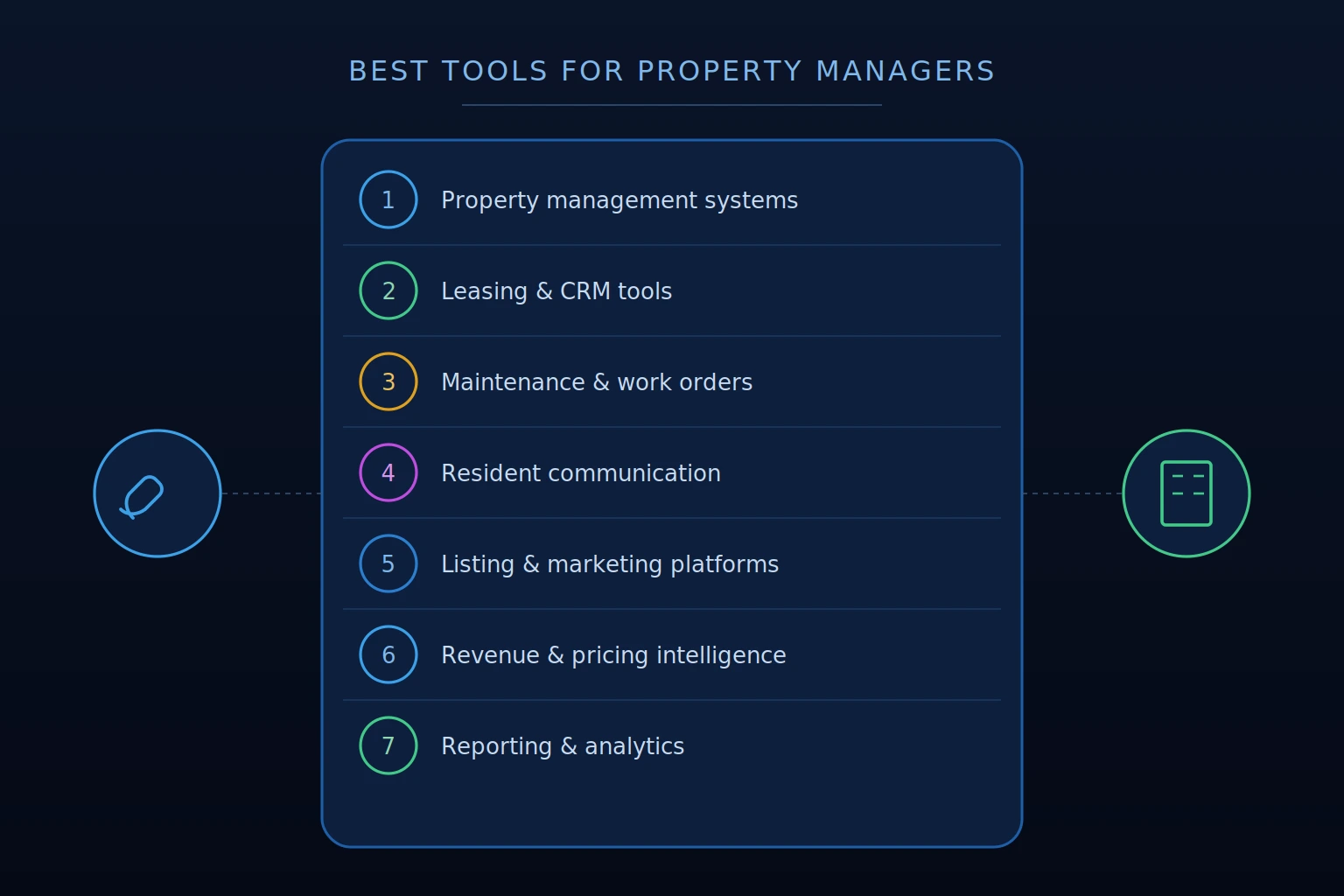
This guide covers seven technology categories, what each supports, and what to look for when evaluating options. These are capabilities to assess, not seven separate platforms every operator needs to purchase. A property management system or connected suite may already cover several of them.
Related:
- What is Revenue Management in Property Management?
- How Do Property Owners Identify Underpriced Units in a Rental Portfolio?
7 Best Tools for Multifamily Property Managers
Before evaluating new tools, identify where work slows down or information becomes difficult to access. Missed prospect follow-up, repetitive data entry, unclear work order status, and time spent assembling reports point to different needs.
Review what your existing systems already support, including available modules and integrations. Then identify the remaining gaps, who needs the capability, and what a useful result would look like. This gives each purchase a clear purpose and helps avoid paying for overlapping features that teams rarely use.
The seven categories below provide a framework for that review:
- Property Management Systems
- Leasing and CRM Tools
- Maintenance and Work Order Platforms
- Resident Communication Tools
- Listing and Marketing Platforms
- Revenue Intelligence and Pricing Tools
- Reporting and Performance Analytics
1. Property Management Systems
A property management system, or PMS is one of the most important tools for multifamily property managers. It provides the operational foundation for managing leases, resident accounts, and property financial records. Its capabilities influence which additional tools a team needs and how information moves between them.
What it does: Depending on the platform and modules selected, a PMS can support lease administration, rent collection, accounting, maintenance tracking, resident records, and financial reporting. Some also offer leasing, communications, analytics, or revenue management capabilities through native features or connected products.
What to look for: Start with the workflows your team uses most frequently. Evaluate how easily staff can maintain lease records, process payments, manage resident balances, and produce accurate reports. Check whether permissions, accounting structures, and reporting options fit the properties and ownership groups you serve.
For integrations, confirm which information moves between systems, in which direction, and how frequently it updates. Ask how errors are flagged and resolved, rather than treating an advertised integration as proof that every required workflow is supported.
Implementation and ongoing support matter as much as the feature list. Evaluate data migration, staff training, support availability, total cost, and options for exporting your records. A well-matched PMS should give the team a reliable foundation while allowing additional capabilities to connect where needed.
2. Leasing and CRM Tools
Leasing and customer relationship management tools help teams organize prospect interactions from the first inquiry through the signed lease. They make follow-up responsibilities and pipeline activity visible so opportunities are less likely to be lost between staff members or shifts.
What it does: Depending on the platform, capabilities may include inquiry capture, conversation history, tour scheduling, application status, task assignment, and automated follow-up. AI-assisted tools can support routine questions and after-hours responses, with more complex requests directed to staff.
NMHC’s Artificial Intelligence Fact Sheet identifies resident screening and application fraud detection among the ways housing operators use AI. It also emphasizes ongoing review of AI processes and outcomes. When these features are included in a leasing platform, teams should evaluate their accuracy, staff-review controls, and fit with established application procedures.
What to look for: Evaluate how easily leasing teams can see the next action for each prospect, review previous conversations, and take over an automated interaction. Check how availability, pricing, application status, and signed lease information are exchanged with the PMS, including update frequency and how discrepancies are handled.
Look for funnel reporting that shows progression from inquiries to tours, applications, and signed leases. Lead-source analysis should help teams evaluate downstream results, with consistent definitions and enough detail to investigate where prospects drop off.
Test automated responses against realistic questions about unit availability, lease terms, concessions, and move-in timing. Confirm how the tool uses approved information, handles uncertainty, and routes questions requiring staff judgment. If screening or fraud-review features are included, evaluate them separately for accuracy, review controls, and fit with established application procedures.
Related to Leasing:
- Top 7 Leasing Strategies
- The Best AI Leasing Assistants for Multifamily Teams
3. Maintenance and Work Order Platforms
Maintenance and work order tools are underrated tools for multifamily property managers. They help teams organize service requests, assign responsibilities, and track work through completion. Clear visibility into outstanding issues supports staff coordination, unit readiness, and resident communication.
What it does: Depending on the platform, capabilities may include resident request submission, technician assignment, scheduling, status updates, vendor coordination, preventive maintenance reminders, and cost tracking. Some tools also support equipment records and inventory management. Predictive maintenance capabilities depend on the product and the equipment or historical data available.
What to look for: Evaluate the daily workflow for both residents and technicians. Residents should be able to describe an issue and receive useful updates, while technicians need mobile access to assignments, relevant details, and completion records. Check how urgent requests are escalated and how staff can adjust priorities.
Confirm how work orders, unit status, and expenses connect with the PMS or accounting system. Reporting should help teams review open requests, completion times, recurring issues, and vendor costs without manually combining records.
For lean teams, ease of adoption matters. Test whether the tool reduces duplicate entry and makes responsibility clear, including when work moves between onsite staff and outside vendors. Distinguish routine task automation from decisions that require a technician’s assessment.
4. Resident Communication Tools
Resident communication tools help teams manage routine updates and ongoing conversations throughout the resident lifecycle. They provide a shared record of communications so staff can coordinate responses and follow through on outstanding concerns.
What it does: Depending on the platform, capabilities may include two-way messaging, maintenance updates, renewal reminders, community announcements, and scheduled notifications. Automated workflows can handle recurring messages, while AI-assisted features may help draft responses or answer routine questions using approved property information.
What to look for: Evaluate whether residents can communicate through convenient channels and whether staff can review conversation history, assign follow-up, and identify unanswered messages. Check how contact details and lease status are updated from the PMS and how communication preferences are maintained.
Look for controls that distinguish routine automation from conversations needing individual attention. Teams should be able to approve templates, review automated workflows, and take over when a resident raises a complex concern or the tool lacks reliable information. Urgent maintenance requests should have a clear route to the appropriate team.
Test how messages are targeted by property, building, or lease stage so residents receive relevant information. The tool should help teams communicate consistently while preserving personal attention for renewal discussions, unresolved service issues, and other conversations that affect the resident relationship.
5. Listing and Marketing Platforms
Listing and marketing tools for multifamily property managers help present available apartments, generate prospect interest, and understand which channels contribute to leasing results. Accurate information and coordinated updates support a smoother transition from browsing to contacting the property.
What it does: Depending on the platform, capabilities may include distributing listings to internet listing services, managing property websites and digital campaigns, updating photography and descriptions, and tracking inquiries by source. Connected tools can help keep advertised pricing, lease terms, specials, and availability aligned with approved property information.
What to look for: Confirm which listing details are exchanged with the PMS or other source systems, how frequently they update, and where manual review is required. Availability should account for leasing status and expected readiness, since an occupied unit may be available for a future move-in and a vacant unit may already be leased.
Evaluate whether teams can connect marketing activity with completed tours, applications, and signed leases. Clicks and inquiry counts provide useful context, but downstream conversion and cost per signed lease help teams assess whether spending is supporting their goals.
For operators managing several properties, look for straightforward content management, clear approval controls, and reporting that allows property-level review. Test how corrections reach each channel and how outdated listings are identified. The practical value is keeping information accurate while directing marketing effort toward inventory that needs leasing support.
Don’t Miss:
- How to Do a SWOT Analysis For Property Management
- The Best AI Property Insights Platforms
6. Revenue Intelligence and Pricing Tools
Revenue intelligence and pricing tools help teams connect leasing performance, occupancy, renewals, and upcoming availability with each property’s revenue strategy. They provide information and workflows for evaluating decisions that affect both current lease economics and future performance.
What it does: Depending on the platform, capabilities may include pricing recommendations by layout, lease term evaluation, exposure analysis, forward-looking occupancy views, and renewal offer workflows. These functions help teams assess pricing and leasing decisions in the context of asset goals.
What to look for: Evaluate whether recommendations include supporting inputs and reasoning so teams can understand why a change is suggested. Look for property-specific settings, clear review controls, and visibility into how current leasing activity and forward availability inform the analysis.
Exposure tools should distinguish scheduled expirations, known upcoming availability, and additional anticipated availability informed by historical performance. Renewal workflows should support configured offer strategy, timely review, and follow-up. Confirm how recommendations and approved offers move between the platform and the PMS.
Rentana supports these workflows through purpose-built pricing recommendations by layout, exposure analysis, predicted occupancy, and configurable renewal processes. Teams can review supporting data and reasoning, evaluate expiration distribution against targets, and use renewal batches to identify completed renewals and residents needing outreach. AI-generated Insights highlight operational changes that may warrant closer attention, while teams retain control of strategy and decisions.
7. Reporting and Performance Analytics
Reporting and performance analytics tools help teams understand results, investigate changes, and communicate findings across properties and ownership groups. They turn operational records into views that support recurring reviews and specific performance questions.
What it does: Depending on the platform, capabilities may include property and portfolio dashboards, configurable reports, historical trends, target comparisons, and analysis by layout or property group. Some tools also offer AI-assisted analysis that lets teams ask questions and explore the relationships behind a result.
What to look for: Check metric definitions, data sources, update frequency, and available filters. Teams should be able to use consistent reporting periods, compare each property with its own goals, and investigate the details contributing to a change. Confirm that permissions and export options fit the people preparing, reviewing, and receiving the analysis.
For AI-assisted features, evaluate whether answers explain their reasoning, make assumptions clear, and provide supporting information that teams can review. Test realistic questions about leasing, concessions, retention, and revenue performance to assess how useful the results are in practice.
Rentana’s dashboards, charts, reports, and Metrics Browser support property and portfolio analysis across configurable timeframes and layouts. Ask Rentana, the AI analyst, helps teams investigate performance questions with explained reasoning, interactive charts and tables, and downloadable analysis. These capabilities help lean teams move from identifying a change to understanding its implications and communicating findings with colleagues and ownership.
How to Evaluate These Tools for Your Portfolio
Evaluate each tool against the work your team needs to complete and the systems already in place. A useful demonstration should show how a real task moves from start to finish, including the information staff need, the decisions they make, and any manual steps that remain.
Integration and data reliability. Confirm which records move between systems, in which direction, and how frequently they update. Ask how missing information, conflicting records, and failed updates are identified and resolved.
Ease of use and implementation. Test common workflows with the people who will use the tool. Review migration requirements, setup effort, training, and the staff time needed to maintain it after launch.
Output quality. Evaluate whether reports, recommendations, and analyses provide enough context to support a decision. Teams should be able to understand the underlying information, investigate unexpected results, and identify what needs further review.
Access and collaboration. Check whether permissions match staff responsibilities and ownership reporting needs. Shared visibility should help people coordinate work while limiting access to information they do not need.
Total cost and support. Compare subscription fees with implementation, integration, training, and optional-module costs. Confirm support availability and how issues affecting daily operations are handled.
Flexibility as needs change. Consider whether the tool can accommodate additional properties, different ownership groups, and evolving workflows. Review export options and contract terms so the team understands how it can retain and move its information.
Agree on a small set of success measures before rollout, such as less duplicate entry, faster follow-up, or less time preparing reports. Review those results after implementation to determine whether the tool is delivering the improvement it was selected to provide.
You Might Like:
Conclusion on Best Tools for Multifamily Property Managers
The best tools for multifamily property managers fit the team’s responsibilities, connect reliably with existing systems, and make useful information easier to act on. Start with the capabilities already available, identify specific gaps, and evaluate new tools against real workflows.
Across leasing, maintenance, resident communication, and revenue analysis, assess ease of use, data reliability, implementation effort, and total cost. Clear responsibilities and appropriate review remain essential as automation and AI become part of daily work.
A well-chosen set of tools gives teams more capacity to support residents, investigate performance, and carry out the decisions that keep each property aligned with its goals.